Physical Address
304 North Cardinal St.
Dorchester Center, MA 02124
Physical Address
304 North Cardinal St.
Dorchester Center, MA 02124
Pragmata is Capcom’s upcoming sci-fi action-adventure built on RE Engine. You play as an astronaut and a mysterious android duo battling rogue AI on the lunar surface in a story packed with hacking combat, puzzle-solving and stunning zero-gravity exploration. This game is launching on April 17, 2026 on PS5, Xbox Series X|S and Nintendo Switch 2 with PC unlocking early on April 16 in most regions via Steam.
A free demo called Pragmata Sketchbook is already live on Steam which is perfect way to test your hardware right now before full launch.
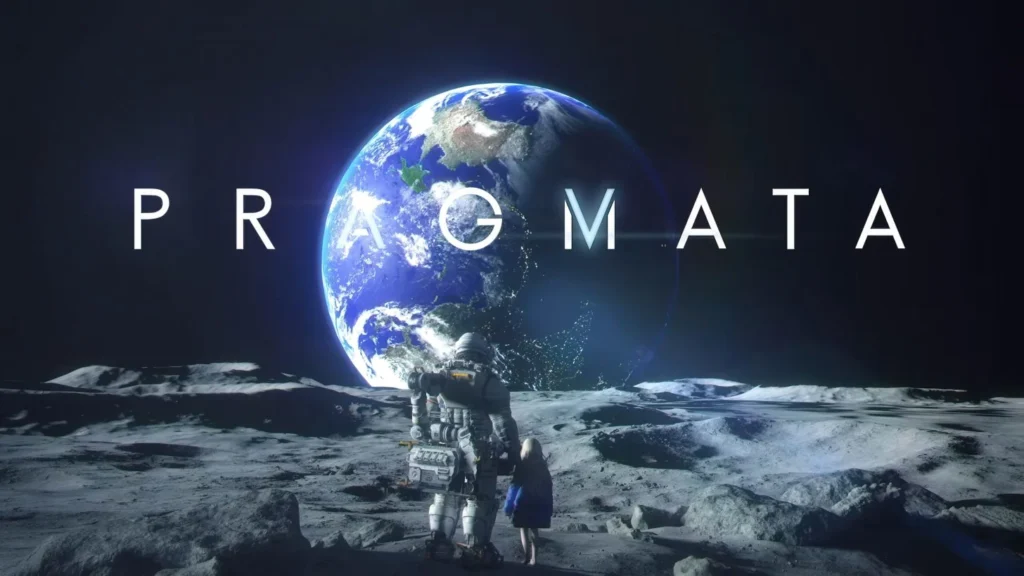
PC players get biggest advantages: scalable settings, full path tracing, DLSS 4 (with Multi-Frame Generation and Ray Reconstruction) and higher frame rates. Consoles are locked to optimized 60 FPS targets but with fixed visuals.
| Component | Minimum (1080p / Performance preset ~45 FPS) | Recommended (1080p / Balanced preset ~60 FPS) |
|---|---|---|
| OS | Windows 11 (64-bit) | Windows 11 (64-bit) |
| CPU | Intel Core i5-8500 / AMD Ryzen 5 3500 | Intel Core i7-8700 / AMD Ryzen 5 5500 |
| RAM | 16 GB | 16 GB |
| GPU | NVIDIA GeForce GTX 1660 (6 GB) / AMD Radeon RX 5500 XT (8 GB) | NVIDIA GeForce RTX 2060 Super (8 GB) / AMD Radeon RX 6600 (8 GB) |
| DirectX | Version 12 | Version 12 |
| Storage | 40 GB (SSD recommended) | 40 GB (SSD recommended) |
| Network | Broadband internet | Broadband internet |
Additional notes (official): Framerates may drop in graphics-intensive scenes. SSD is strongly recommended.
Ray Tracing & Path Tracing Support For full ray-traced lighting and reflections you’ll need a step up: AMD Radeon RX 6700 XT (12 GB) or NVIDIA GeForce RTX 3060 (12 GB) minimum. Higher-end RTX 40/50-series cards unlock full path tracing + DLSS 4 for buttery-smooth 1440p/4K performance.
All consoles target a smooth 60 FPS in Performance mode. Here’s how they stack up from demo footage:
Key Takeaways from Demo Comparisons:
Instant ways to test your PC:
Pro Tips for Best PC Experience
Pragmata looks absolutely stunning on capable hardware. lunar environments, dynamic lighting, and dual-character gameplay shine brightest at higher settings. With demo already out, there’s zero risk in checking if your rig is ready. Pre-load is live on Steam right now.
Launch is literally hours away — download the demo, test your setup and get ready to blast off to the moon! 🚀
Sources: Official Steam page, Capcom, recent demo benchmarks (as of April 16, 2026). Performance may improve with day-one patches.